Master Spam Control: 10 Tips for Your Trashmail Account
Temporary email addresses are a privacy-first, practical way to stop unwanted messages from reaching your main inbox. This guide walks you through what temporary email is, how TrashMail’s disposable addresses and expiration controls lower exposure, and ten concrete tactics to handle marketing mail, phishing attempts, and bot-driven sign-ups. Many people make one mistake: they use the same address everywhere, which makes inboxes noisy and makes it easy for companies to link your activity. The fix is simple—use disposable addresses, set sensible TTLs, apply filters, and rotate addresses when needed. Below you’ll find how temporary email works, step-by-step setups for unique addresses and filters, privacy and anti-phishing best practices, workflows for organizing many temporary inboxes, and retention rules that balance convenience with minimal data exposure. We also include actionable lists, comparison tables, sample filter rules, and workflows you can use right away to reduce spam and protect your privacy.
How does TrashMail cut spam for temporary email users?
Services like TrashMail reduce spam by separating short-term registrations from your permanent inbox, issuing short-lived addresses, and giving you easy controls to limit exposure to marketing lists and breaches. These features stop long-term address reuse, let you isolate identities per site, and provide expiration and forwarding rules that prevent mailing lists from hitting your primary account. The immediate wins are fewer messages to delete and a lower chance that one leak or a sold list floods your real inbox. Once you understand these core mechanics, it becomes clear why disposable addresses are a strong first line of defense against bulk marketing, bot spam, and many phishing attempts.
This section explains the main ways temporary email reduces spam and shows the practical impact on inbox hygiene. That sets the stage for types of temporary email and the specific value TrashMail offers, which we cover next.
Temporary email gives you a disposable workspace for one-off or short-term sign-ups. Each temporary address either expires after a set time or is unique to a service, so senders can’t easily link your activity across sites. For example, using a single-use address for a download means newsletters and follow-ups won’t reach your main inbox unless you explicitly forward them. That isolation lowers the number of persistent marketing messages and makes it easy to delete addresses that start attracting spam.
What is temporary email and how does it block spam?
Temporary email means disposable or forwarding addresses that receive messages for a limited time or forward to your chosen inbox under controlled rules. A temporary address can expire after a time-to-live, forward selectively, or act as an alias you discard once it’s noisy. The key benefit is containment: lists or attackers that get a temporary address can’t keep contacting your primary identity after you expire or delete it. Typical use cases include one-off downloads, trial sign-ups, and forms you don’t plan to revisit—these reduce the surface area for persistent marketing and limit fallout from breaches.
Because temporary addresses are short-lived or easily replaceable, they form a disposable layer between you and third parties. That layer not only reduces long-term spam but also lowers account linking, protecting privacy and making cross-site profiling harder.
Why pick TrashMail to manage disposable-email spam?
TrashMail gives you instant disposable addresses that keep your real inbox clean while giving you control over forwarding and expiration. The core benefits are fast creation, free disposable addresses, and simple controls that match common spam-reduction workflows: create a unique address per site, set a short TTL, and retire addresses that attract unwanted mail. The result is less time spent unsubscribing and a lower chance of phishing landing in your main account. If you sign up for lots of newsletters, downloads, or short-term services, TrashMail lets you isolate noise without reconfiguring your primary inbox.
Those service-level features make the ten strategies below easy to apply, since they rely on quick address creation, TTL settings, and basic forwarding rules that TrashMail supports. The next section turns those capabilities into step-by-step tactics.
Top strategies to stop junk mail in your TrashMail account
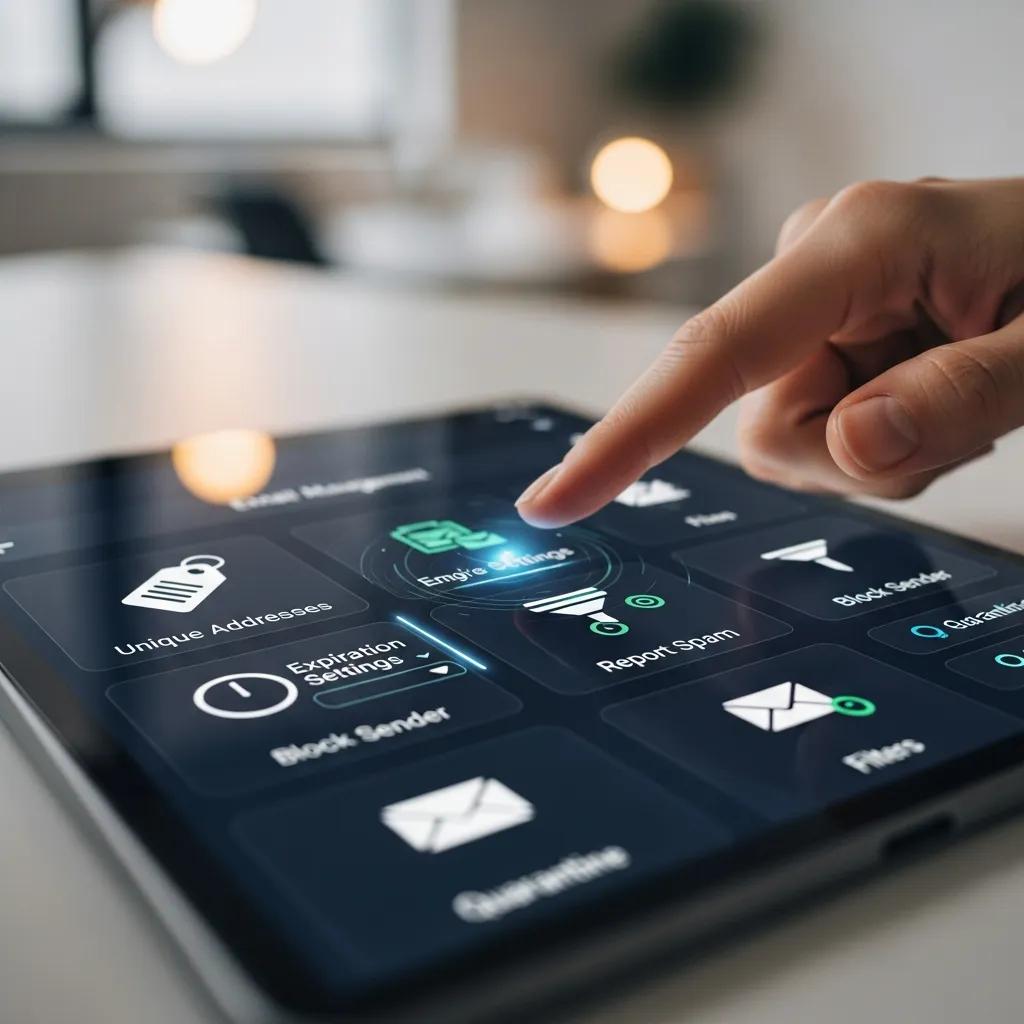
Here are ten practical strategies you can start using right now to cut junk mail with temporary email workflows. Each item includes a brief how-to so you can act and measure results. Combining several of these usually gives the best outcome because they tackle different spam sources—marketing lists, phishing, and bot sign-ups.
- Generate a unique disposable address for every signup so services can’t cross-reference you.
- Choose short expiration (TTL) values for one-off signups to limit long-term exposure.
- Forward only when necessary—avoid blindly forwarding every message to your main inbox.
- Keep a whitelist for trusted senders and a blacklist for known spammers.
- Use descriptive naming so you can tell at a glance which site an address belongs to.
- Save verification and password-reset messages immediately, then expire the address.
- Unsubscribe from legitimate marketing lists before the temporary address expires.
- When messages show phishing signs, block or discard the address instead of replying.
- Use temporary addresses for testing to keep developer inboxes clean.
- Audit and rotate addresses on a schedule if you manage many disposables.
These tactics are measurable: unique addresses and TTL rules usually give the fastest drop in unsolicited mail, while smart unsubscription and blocking stop persistent senders. The comparison table below helps you pick which strategies to prioritize.
Quick comparison — this table shows common strategies ranked by setup effort and best use case so you can decide what to try first.
| Strategy | Ease of Setup | Best Use Case |
|---|---|---|
| Unique per-site address | Low | One-off registrations and purchases |
| Short TTL / Expiration | Low | Temporary downloads and trials |
| Whitelist / Blacklist | Medium | Ongoing services you sometimes trust |
| Forward-only when needed | Low | Verification flows that require inbox access |
| Scheduled rotation | Medium | Power users managing many addresses |
How to use a unique disposable address for every registration
Using a different address for each signup prevents marketers and brokers from linking your activity across sites because each address is an independent identifier you can retire. In TrashMail, create a new disposable address before signing up and keep a minimal mapping—service → address—only if you need it later. Pick a naming convention that encodes the site or purpose (for example, “sitename-2025”) so you can quickly spot the source when mail arrives, and expire the address after verification or short-term use. This reduces cross-listing and makes bulk unsubscribes manageable.
Track addresses sparingly to preserve privacy—an encrypted note or ephemeral spreadsheet is fine for heavy users. When an address starts attracting spam, expire or delete it immediately.
How TrashMail’s filters help you manage spam
TrashMail’s filters let you forward only messages that meet chosen criteria, block known senders, and maintain simple whitelist/blacklist rules so your main inbox stays protected. Useful rules include forwarding only messages with a single-word subject token (like “VERIFY”) or blocking senders whose domains match spam patterns. For marketing mail, flag messages with list headers and forward only account-critical items to your primary email. If TrashMail supports pattern matching, use concise patterns to catch common spam subjects while avoiding false positives.
Decide whether to discard, block, or forward each message based on its role—verification versus marketing. When unsure, keep account-critical mail and expire the address after the flow finishes.
How to boost privacy and security while using TrashMail
Good privacy and security come from sensible limits and layered protections: don’t use disposable addresses for account recovery, secure your primary accounts with strong passwords and two-factor authentication, and treat temporary inboxes as untrusted by default. This approach keeps temporary addresses from becoming weak links while maximizing their privacy benefits. Pair TrashMail with a password manager and 2FA to avoid situations where a forgotten temporary address leads to access problems.
Below are straightforward do’s and don’ts to help you use temporary email safely without undermining security. Following them reduces the chance of leaking credentials or using disposables where permanence is needed.
- Do use temporary addresses for newsletters, downloads, and untrusted registrations.
- Do keep account recovery linked to a secure, permanent address with 2FA enabled.
- Do use a password manager to avoid credential reuse across sites.
- Don’t use temporary emails for banking, healthcare, or legal accounts.
- Don’t rely on disposables for long-term subscriptions or invoice receipts.
- Don’t ignore suspicious messages—treat them as untrusted and block when needed.
Best practices for temporary email security

Limit temporary addresses to non-critical services, use descriptive names for traceability, and make sure your primary accounts use 2FA and unique passwords stored in a password manager. Avoid relying on disposables for account recovery—expiring them can lock you out. Keep a small set of trusted, long-lived recovery addresses instead. Regularly audit your temporary addresses to remove ones that are no longer useful and to check for lingering verification flows.
These practices balance convenience with safety: use disposables to shield low-risk interactions while retaining secure contact points for important accounts.
How to spot and avoid phishing in temporary emails
Phishing signs in temporary inboxes are the same as in your primary mail: unexpected credential requests, mismatched sender domains, urgent demands for action, and suspicious attachments or links. Since temporary addresses are often used for verification, treat any login or password-reset message with extra caution—verify the sender domain exactly and avoid clicking embedded links. If a message looks malicious, block the sender and discard the address; forward severe phishing examples to the service’s security contact if you can.
Use a short response workflow: flag suspicious mail, verify the sender externally when possible, then block or expire the address. That keeps phishing risks contained and prevents escalation to other accounts.
How to manage and organize spam inside your TrashMail inbox
Operational management relies on naming conventions, tags, and TTL policies to make triage quick and predictable. Group addresses by purpose (shopping, forums, testing) and assign short, consistent TTLs based on expected message flow. Automate where you can—use filters, forward only verification messages, and schedule expirations—so disposable addresses don’t become long-term liabilities. Lifecycle policies help you decide when to delete an address instead of endlessly filtering.
Being organized improves response time when spam appears and makes it easier to identify which service leaked or sold your address. The table below lists suggested filter types and example rules you can adapt.
Filter rules — use these templates in TrashMail or similar forwarding services.
| Filter Type | Suggested Rule / Example | When to Apply |
|---|---|---|
| Subject keyword | Forward if subject contains "VERIFY" | Sign-up verification only |
| Sender domain blacklist | Block *@spamdomain.com | Known spam sources |
| Header pattern | Forward if header contains "List-Unsubscribe" | Legit marketing you might accept |
| Attachment block | Discard if message has executable attachment | Security-first posture |
Advanced filtering techniques for TrashMail users
Advanced filters combine criteria—subject tokens, sender patterns, header checks, and simple pattern matching—to reduce false positives and make sure only essential messages reach your main inbox. For example, forward messages that include both a site-specific token and a trusted-domain sender, and discard messages with common spam markers or risky attachments. If the platform doesn’t support regex, build boolean filters that approximate the same logic and rotate tokens in addressed names to reduce automated matching.
When automating, err on the side of caution: discard highly suspicious mail and forward only when multiple trust signals appear. That keeps your primary inbox focused on what matters.
Using smart unsubscription and blocking to cut spam
Smart unsubscription starts by checking whether a sender is legitimate. If a marketing mail has a clear unsubscribe link and the sender looks reputable, use the list-unsubscribe option or a safe unsubscribe flow before expiring the address. If there’s no unsubscribe link or the sender shows phishing signs, block the sender and expire the address instead of interacting. For repeat offenders from the same domain, place a domain-level block and discard any addresses tied to that source.
Pick unsubscribe or block based on legitimacy and risk: unsubscribe for reputable newsletters you might want later, and block/expire for suspicious or abusive messages. This reduces ongoing noise and avoids malicious opt-out traps.
What to know about expiration and data retention for temporary email
Expiration and retention control how long a temporary address stays active and can receive or forward messages. Short TTLs contain spam: once expired, an address stops receiving mail and cuts off persistent lists. But expirations that are too short can break legitimate flows like multi-step verification or delayed receipts, so match TTLs to the use case. Understanding this trade-off helps you pick TTLs that reduce spam without interrupting necessary communications.
The table below shows common TTL choices and how they affect spam and usability to help you choose lifespans for different activities.
| Retention Option | Retention Attribute | Impact on Spam Management |
|---|---|---|
| Single-use (expire after first verification) | Very short TTL | Maximizes spam containment; may miss delayed messages |
| Short-term (days to weeks) | Short TTL | Good for trials and downloads; balances usability and privacy |
| Medium-term (months) | Medium TTL | Useful for subscriptions you monitor; higher spam risk |
| Long-term (indefinite) | No TTL or manual expiry | Convenient but increases long-term spam exposure |
How expiration affects spam management
Expiration ends an address’s lifecycle, effectively quarantining any lists or automated senders that targeted it. The main benefit is containment: expired addresses stop receiving mail and can’t be harvested for future campaigns. The downside is missing legitimate delayed communications if you expire too soon. Recommended TTLs depend on use case—single-use for quick downloads, short-term for trials, and longer for services you plan to revisit—so tailor expirations to expected message cadence.
Use conservative TTLs for untrusted sites and longer windows for services you intend to keep, and watch incoming patterns to refine your TTL strategy over time.
How to monitor multiple temporary inboxes for better spam control
Monitoring many temporary inboxes efficiently needs a lightweight tracking system and regular audits: keep a minimal mapping of address → purpose, set reminders to review addresses after their TTL, and forward critical items to a single monitored inbox. Use simple tools—encrypted notes, a small spreadsheet, or automation—to log active addresses and expiration dates, then do a weekly or monthly sweep to expire noisy addresses. Triaging by source (shopping, forums, testing) helps you apply consistent TTLs and spot repeat offenders.
A steady monitoring cadence prevents address sprawl and keeps spam contained by retiring addresses before they become persistent targets.
Best practices to keep a clean digital footprint with TrashMail
Keeping a clean footprint means rotating addresses, minimizing linkability, and using permanence only where needed. Regular housekeeping—expiring disposables after use, avoiding reuse across unrelated sites, and keeping a small set of long-lived recovery addresses—reduces long-term exposure and lowers the chance one breach affects many services. TrashMail makes creation and expiration easy, so good hygiene doesn’t add friction.
The checklist below summarizes housekeeping tasks that reduce linkability and keep spam low while keeping access to important accounts.
- Expire single-use addresses after verification and securely archive any receipts you need.
- Rotate addresses on a predictable schedule if you manage many sign-ups to prevent accumulation.
- Keep a minimal set of long-lived recovery addresses separate from disposable ones.
- Use descriptive names to trace which service leaked an address when spam appears.
- Periodically audit active addresses and expire those with low ongoing value.
These steps form a repeatable routine that helps compartmentalize your online presence and reduces the chance a single incident spreads across services. The final section explains how temporary email helps anonymity—and where it stops short.
How to update and discard temporary emails regularly to stay spam-free
Set a rotation schedule and simple triggers for discarding addresses—after verification, when a trial ends, or once spam reaches a threshold. Automate where possible: calendar reminders or small scripts can expire addresses created for testing. Keep records minimal and anonymous: record only what you need to manage addresses and avoid centralizing identity data that could link back to you. These routines limit long-term accumulation and make it easier to retire noisy channels quickly.
Balance convenience with privacy by automating low-risk tasks and keeping manual checks for higher-stakes addresses, so you stay in control without extra complexity.
How TrashMail supports anonymity and privacy
Temporary email reduces linkability by creating unique, short-lived identifiers for each interaction, preventing third parties from correlating activity across services. That fragmentation lowers the risk of profile building and limits damage from breaches because each address can be retired independently. But temporary email isn’t a complete anonymity solution—cookies, payment methods, and device fingerprints still tie activity together. Use TrashMail alongside privacy tools like browser isolation, minimal data sharing, and strong password practices for stronger protection.
Using temporary email as one layer in a broader privacy strategy gives measurable reductions in spam and data linking while fitting naturally into everyday workflows for safer, cleaner online interactions.
Disposable Email Addresses and Forum Registration Policies
On some forums, disposable addresses (for example, TrashMail) are blocked for registration to reduce spam and fraud.
Honor among thieves: A common's analysis of cybercrime economies, S Afroz, 2013
Some platforms explicitly disallow disposable email addresses during registration, reflecting their association with spam prevention and fraud mitigation.
TrashMail and Disposable Emails in Cybercrime Analysis
In several case studies, accounts used disposable emails such as TrashMail to create fake or abusive accounts, which shows how disposables can be misused.
Doppelgänger finder: Taking stylometry to the underground, S Afroz, 2014
Researchers note that disposable email services can be exploited to create fake accounts; that risk is part of why some sites block disposable addresses.
Detecting Disposable Emails with NLP and Domain Validation
Disposable email services let users sign up without revealing their primary address, but this can be abused. One paper proposes a hybrid NLP and domain-validation method to detect and classify disposable emails effectively.
A hybrid NLP and domain validation technique for disposable email detection, R Alanazi, 2024
Disposable email provides privacy benefits by masking primary addresses, but potential abuse means robust detection techniques are sometimes necessary.
Frequently Asked Questions
What are the main benefits of using temporary email services like TrashMail?
Temporary email services like TrashMail offer several key benefits, including enhanced privacy, reduced spam, and improved inbox management. By providing disposable email addresses, users can sign up for services without exposing their primary email, which helps prevent unwanted marketing and phishing attempts. Additionally, these services allow users to set expiration times for addresses, ensuring that they can easily retire any that attract spam. This layered approach to email management not only keeps your main inbox clean but also minimizes the risk of data breaches.
Can I use TrashMail for important accounts or sensitive information?
While TrashMail is excellent for managing spam and protecting privacy during casual sign-ups, it is not recommended for important accounts or sensitive information. Temporary email addresses should not be used for banking, healthcare, or legal communications, as they lack the permanence and security needed for such critical interactions. Instead, use a secure, permanent email address with strong passwords and two-factor authentication for these types of accounts to ensure your sensitive data remains protected.
How can I effectively manage multiple temporary email addresses?
Managing multiple temporary email addresses can be streamlined by using a lightweight tracking system. Keep a minimal mapping of each address to its purpose, and set reminders to review and expire addresses after their time-to-live (TTL) has elapsed. Group addresses by category, such as shopping or testing, and apply consistent TTLs based on expected message flow. Regular audits will help you identify and retire noisy addresses, ensuring that your temporary email management remains efficient and effective.
What should I do if I receive spam in my TrashMail inbox?
If you receive spam in your TrashMail inbox, the best course of action is to expire or delete the temporary address associated with it. This prevents further messages from reaching your primary inbox and helps contain any potential spam lists. Additionally, consider blocking the sender if they are known to be a repeat offender. Regularly auditing your addresses and maintaining a blacklist of known spammers can further enhance your spam management strategy.
How does expiration time affect the usability of temporary email addresses?
Expiration time, or time-to-live (TTL), is crucial for balancing usability and spam management with temporary email addresses. Short TTLs maximize spam containment by ensuring that addresses stop receiving mail quickly, but they may also lead to missed legitimate communications, such as delayed verification emails. Conversely, longer TTLs can be more convenient for ongoing services but increase the risk of spam. It’s essential to tailor TTLs to the specific use case, ensuring that you maintain effective communication while minimizing spam exposure.
Are there any risks associated with using temporary email services?
Yes, there are some risks associated with using temporary email services. While they provide privacy and spam reduction, they can also be exploited for malicious purposes, such as creating fake accounts or engaging in fraudulent activities. Some websites may block disposable email addresses to mitigate these risks. Additionally, if a temporary address is used for account recovery, expiring it could lead to access issues. Therefore, it’s important to use temporary emails judiciously and avoid them for critical accounts or sensitive transactions.
How can I enhance my privacy while using TrashMail?
To enhance your privacy while using TrashMail, follow best practices such as using unique, descriptive names for each temporary address to easily identify their purpose. Avoid reusing addresses across different services to minimize linkability. Pair TrashMail with a password manager and enable two-factor authentication on your primary accounts for added security. Regularly audit your temporary addresses, expiring those that are no longer needed, and treat all temporary communications as untrusted to maintain a strong privacy posture.